
Unreal
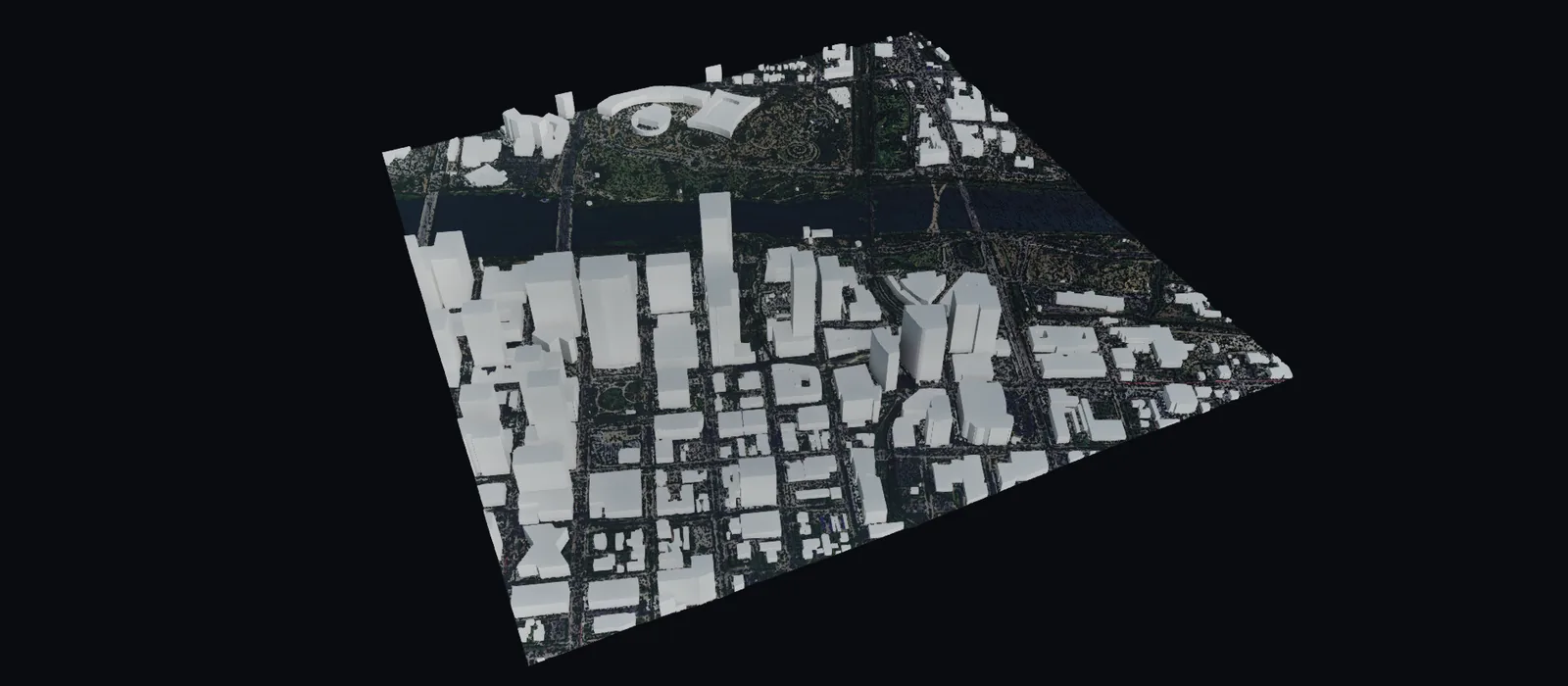
Mantle Place for Unreal is a first-party Unreal plugin that lands your bundle as an editable, georeferenced native Landscape or mesh. Downloaded once, imported from disk, never streamed.
Draw an area of interest on Earth, order it once, and bring it into Unreal as a real Landscape, terrain mesh, or static mesh with the aerial imagery already draped. The plugin reads files from your disk: there is no access token, no runtime connection, and no subscription that can lapse under a shipped project. It is the familiar plugin form factor with the opposite substance: the files are yours.
One plugin, files you keep
Open on GitHub, Apache 2.0
The plugin’s full source is public, alongside the Revit plugin and the manifest conformance suite. Nothing about how your site lands is a black box, and the plugin outlives us either way.
The manifest carries the transform
The bundle’s Manifest.json holds the site origin, the frame of every file, and the height scale. The plugin reads it and does no coordinate math of its own.
Offline and re-importable forever
Once downloaded, the bundle lives on your disk. Re-import it offline forever: no token, no phoning home, no platform dependency in the editor or the packaged build.
Real geometry, not a backdrop
Terrain arrives as a sculptable Landscape or a Nanite-ready mesh. Paint, carve, cut a pad, and build on it like any other geometry.
Inside the bundle
- A Landscape from Elevation/Elevation.png, scaled and placed to your exact extent, with the imagery drape from Imagery/Imagery.png
- The land-cover weights in Materials/ painted as Landscape layers
- Buildings as a static mesh from Basemap/Buildings.glb, placed on the terrain
- Road centrelines as one spline per road, and tree points as a data table for PCG
- Public-record overlays, such as parcels, zoning, flood zones, and more
- A Nanite-ready terrain mesh, the whole site as one USD file, and every other file for your other tools
Placed right, provably
- Flat projected georeference with the origin at your site centroid (UTM), stated once in the manifest as the site origin
- Orthometric heights (EGM2008) in meters for the engine files, with the geoid model and the vertical reference declared for every file
- The transform ships in the bundle’s Manifest.json; the plugin applies it verbatim
- A fail-closed placement check refuses a wrong landing and reports the numbers that prove it
Three steps into Unreal
- Get the plugin. Mantle Place for Unreal ships as a public GitHub Release: download the pre-1.0 prebuilt Unreal 5.8 binary for Windows (Apache 2.0, no compiling to install, no account) from the mantleplace-dcc repository and drop it into your project.
- Import the bundle. Pick the bundle and a level, Max, Med, or Min, press import, and the terrain, imagery drape, and georeference land together. The same code runs headless for batch imports.
- Check the placement. Every import runs a placement check and either reports green or refuses with the offending numbers. The whole import is one transaction: a single undo removes it cleanly.
It works with any of your bundles, free bundles included. Current release: 0.8.1.
The source is one click away: github.com/mantleplace/mantleplace-dcc
Frequently asked
Do I need an account or token to import?
Ordering happens on the web and your vault holds the files. The import itself reads files from disk: no access token, no runtime connection, nothing that expires.
Does anything stream at runtime?
No. The plugin never streams from Mantle Place and never re-processes the pipeline in-engine. A request for different processing is a new web order; the files on your disk keep working regardless.
Which Unreal versions are supported?
Mantle Place for Unreal is built for and validated on Unreal 5.8 on Windows. The ready-to-install build loads in Blueprint-only projects.
Where do I get the plugin today?
Download it from the mantleplace-dcc repository’s Unreal GitHub Release: a prebuilt Unreal 5.8 binary for Windows under Apache 2.0, no compiling and no email required. It works with any of your bundles, free bundles included, so you can run the whole flow on a small site before spending anything.
Can I browse my vault from inside the editor?
Yes. The Mantle Place panel in the Window menu signs in, lists your bundles, and imports one without leaving the editor; the local zip path beside it needs no sign-in at all. Either way, the files land on your disk and keep working offline.
How does this compare to Cesium for Unreal?
Same plugin form factor, opposite substance. Cesium for Unreal streams tilesets at runtime and is excellent for planet-scale context; Mantle Place delivers on-disk files you import once and keep. The full comparison is on the compare page.
Keep every site you draw.
Draw an area, see the price, and import a site you keep forever. $5 plus $2 per square kilometer, anything 2 km² or under is free, and the pre-1.0 plugin works with free bundles too.
Native plugins: Mantle Place for Unreal, Mantle Place for Revit, and Mantle Place for AutoCAD.