
AutoCAD
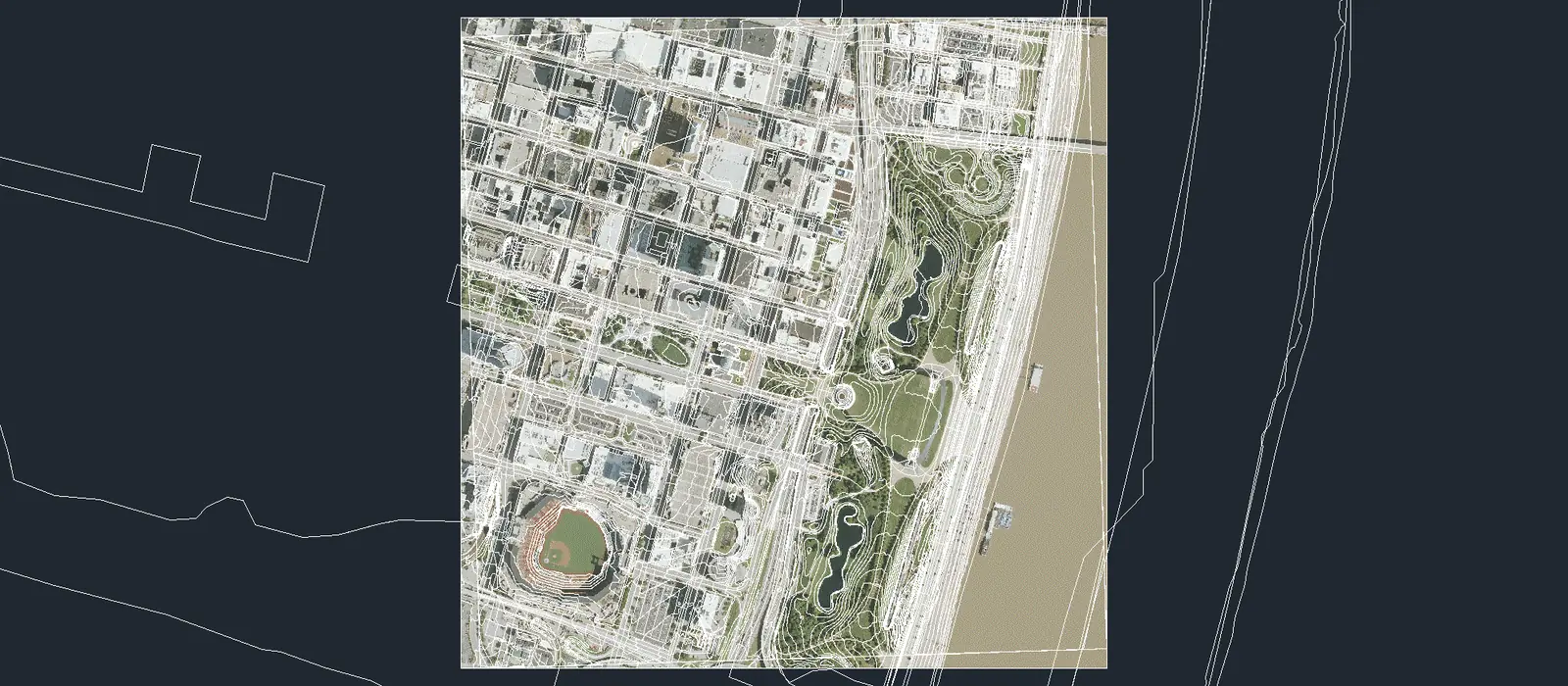
Mantle Place for AutoCAD brings your site into AutoCAD and Civil 3D drawings: contours, the aerial image, public records, site linework and more, at the order’s own coordinates and units, with a TIN surface in Civil 3D.
Draw an area of interest on earth, order it once, and send the bundle from your vault on the web to AutoCAD. One plugin serves AutoCAD and Civil 3D, 2025, 2026 and 2027; Civil 3D’s part loads only when Civil 3D is running. Everything comes from the bundle, and nothing is worked out in the drawing.
One plugin, two hosts
AutoCAD and Civil 3D 2025, 2026 and 2027
One package serves both, and it picks the right build for your year, so you copy one folder and never choose.
Copy one folder or run Install.cmd
Either one puts the plugin in the ApplicationPlugins folder for your Windows account. Neither needs administrator rights.
A Mantle Place tab on the ribbon
Its panel holds Sign In, Sign Out, Vault, Import Bundle, About and Send Feedback. Each command can also be typed at the command line.
Your bundles, from inside AutoCAD
Vault lists the bundles you keep, with a search box, and downloads one at the level you choose, Max, Med, or Min. An order sent from your vault on the web opens here too.
The whole order in one go
Press Import and every part the bundle holds goes into the active drawing. The window then says what went in and what was skipped, with each reason.
Every file checked before drawing
Every file is matched to its published digest before anything is drawn. A mismatch places nothing.
What an import places
- Contours as polylines, each at its published height
- The aerial image, at the corner, size and rotation the bundle publishes
- In Civil 3D, the terrain as a TIN surface; in plain AutoCAD the import says the surface needs Civil 3D and places the rest
- Public record layers, such as parcels and zoning, as polylines, each on its own layer
- Site linework as polylines, on layers named for what they hold
Where it lands
- The order’s own coordinates and units, as the bundle states them; the drawing’s unit setting is not read or changed
- In a drawing with no geographic location, the order goes in at its own coordinates and a notice says so
- A drawing whose location is in another coordinate system is refused, with both named, and nothing is placed
- In Civil 3D the drawing’s coordinate zone is checked the same way
- The plugin never sets your location or zone
Five steps, no administrator rights
- Close AutoCAD and Civil 3D. Their plugin files are locked while they are open.
- Download the zip from the latest autocad- release and extract it.
- Run Install.cmd, or copy the whole MantlePlaceAutoCad.bundle folder into %APPDATA%\Autodesk\ApplicationPlugins.
- Start AutoCAD or Civil 3D. The plugin is unsigned, so AutoCAD asks once: choose Always Load.
- Sign in on the Mantle Place tab, open Vault, choose a bundle and a level, and press Import.
Mantle Place for AutoCAD is open source under Apache 2.0. It ships as a zip on the autocad- releases of the mantleplace-dcc repository on GitHub. Current release: 1.0.0.
The source is one click away: github.com/mantleplace/mantleplace-dcc
The full guide is on GitHub.
Frequently asked
Which versions are supported?
AutoCAD and Civil 3D 2025, 2026 and 2027, from one package. Civil 3D’s part loads only when Civil 3D is running, so plain AutoCAD gets everything but the surface.
Do I need administrator rights to install it?
No. The plugin installs for your Windows account only, whether you run Install.cmd or copy the folder yourself. You do not need to install .NET: AutoCAD brings its own.
Why does AutoCAD ask about the plugin when it starts?
The plugin is unsigned, so AutoCAD asks once whether to load it. Choose Always Load, then type MANTLEPLACEABOUT to see the version that loaded.
How do I sign in?
Sign In on the Mantle Place tab, or MANTLEPLACESIGNIN at the command line, opens your browser. AutoCAD never sees your password.
Which commands does it add?
MANTLEPLACESIGNIN and MANTLEPLACESIGNOUT sign you in and out, MANTLEPLACEVAULT opens the bundles you keep, MANTLEPLACEABOUT names the build that loaded, and MANTLEPLACEFEEDBACK opens the feedback form, which needs no account.
How do I remove it?
Close AutoCAD and Civil 3D, then delete the MantlePlaceAutoCad.bundle folder from %APPDATA%\Autodesk\ApplicationPlugins.
Where is the guide?
Press F1 over any Mantle Place button on the ribbon to open the guide, or read it in the mantleplace-dcc repository.
Keep every site you draw.
Draw an area, see the price, and send the site to your drawing.
Native plugins: Mantle Place for Unreal, Mantle Place for Revit, and Mantle Place for AutoCAD.